Agentic Design System
Claude as co-architect of an AI-ready design system: tokens, contracts, components, Storybook and Figma generated from one repository, with you approving every gate. Install it as a Claude Code plugin or run it as a prompt.
 Vito Antonacci @vitoantonacci · 14 prompts
What you get
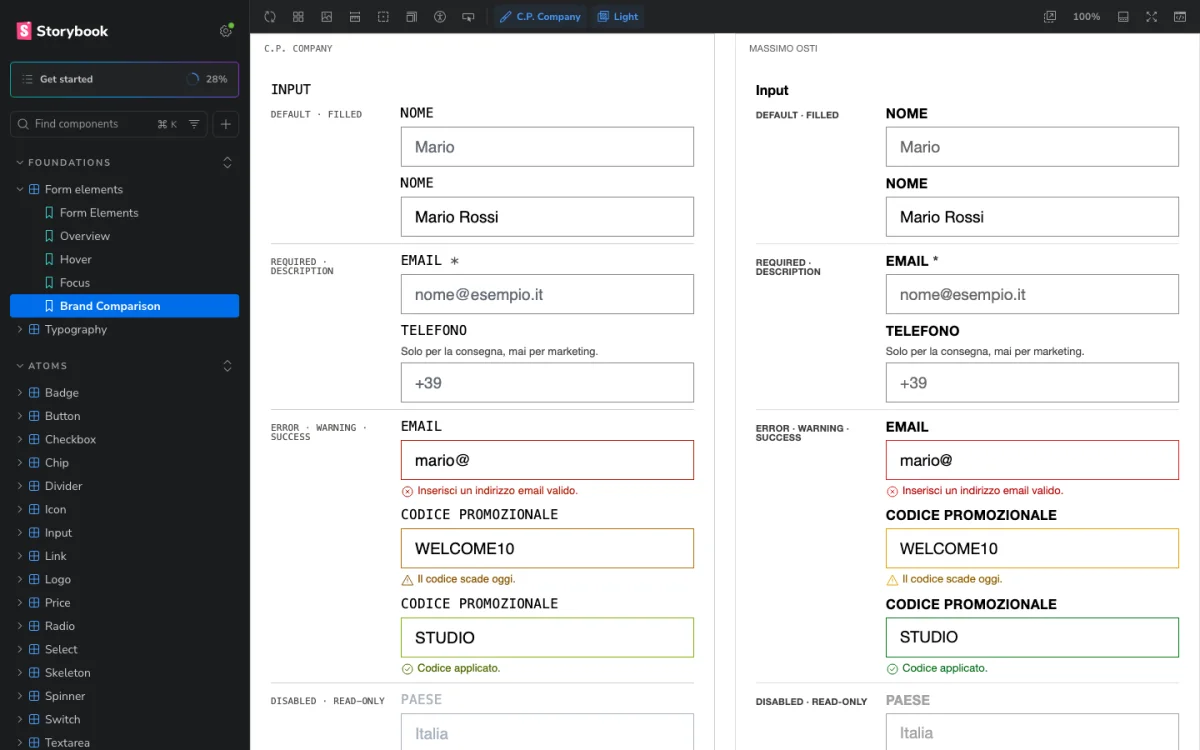
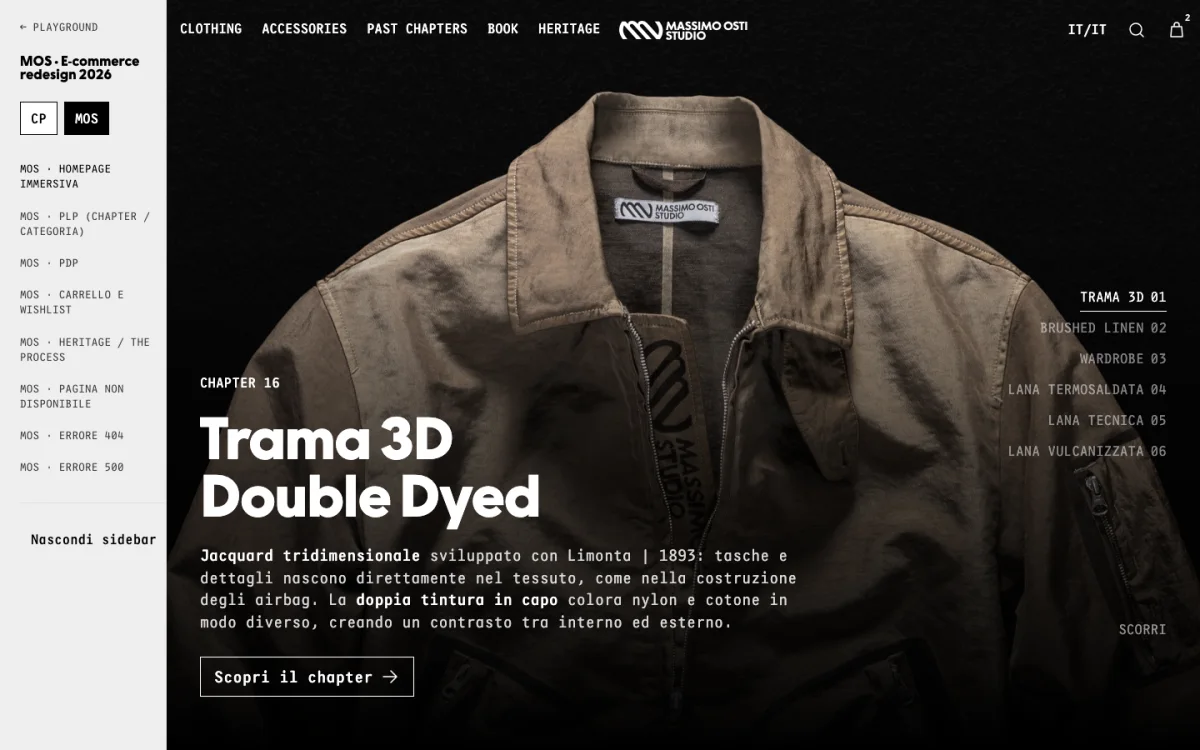
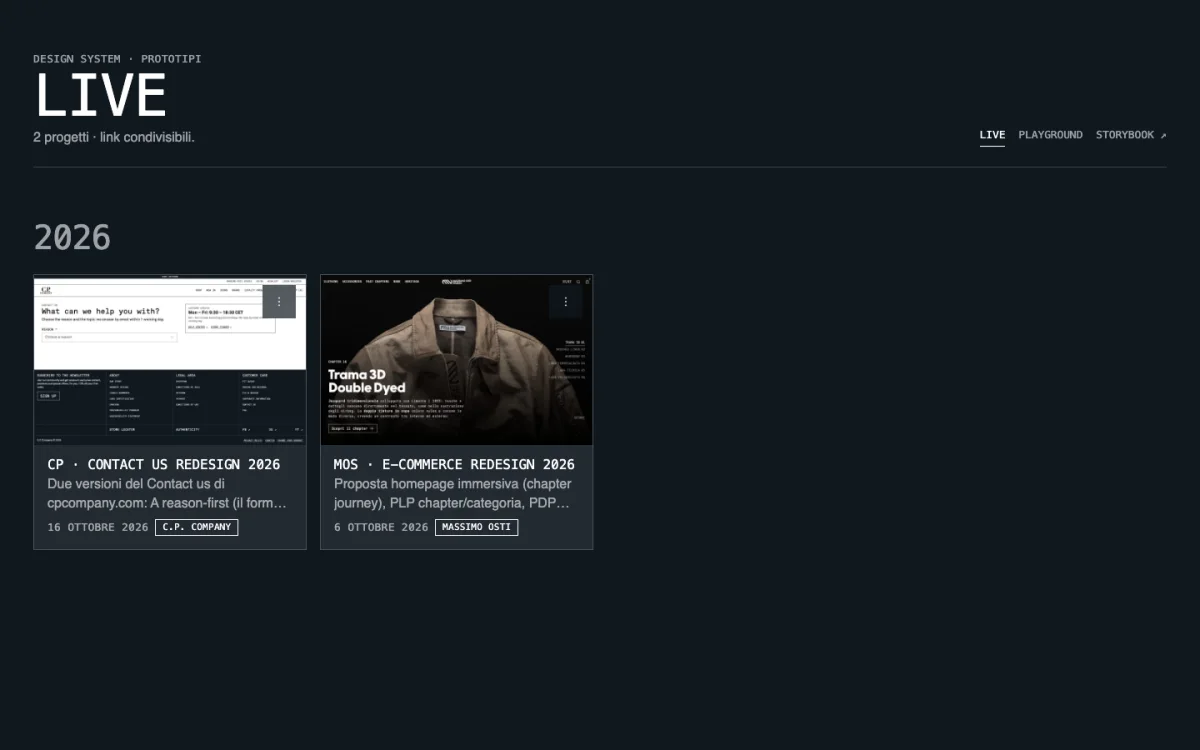
Your design system built and kept up to date by Claude. Colours, type and spacing become tokens, every component comes with its rules, and Figma and Storybook are generated from the same source. You approve each step; nothing is published without you.
Perfect for
- A team that wants one design system for code and Figma, not two to keep in sync
- A brand, or several: a second brand is a theme of the same system, never a copy
- Prototyping new pages without touching what is already in production
You get
- A repository that is the design system: tokens, component rules, React code, docs
- Storybook and Figma generated from it, both optional
- A playground for prototypes and a review step that promotes only what deserves it
How it works
- Setup · once
- YouInstall the plugin or paste the promptseven questions with defaults: start from zero, from your Figma or Storybook, or clone one
- ItBuilds the foundationtokens, a starter set of components with their rules, Storybook, a playground to prototype in
- Every day
- You"Prototype a new product page"in plain words
- ItBuilds it in the playgroundfrom the kit, which cannot break while you try things
- Asks you"Move it to live"a review page shows what is new; you decide what enters the system
- You getDemo, Figma, Storybook and docs updated togetherone version for the whole system
Good to know
- Nothing is created or published without your ok at each step
- Works as a Claude Code plugin, or as a prompt in any assistant with connectors
In detail
Two ways to run it. Prompt: paste it once, Claude introduces itself, shows a one-screen map of what will exist and asks seven questions with defaults: start from zero, from what you have, or clone a link or file; which repo; Figma and Storybook yes, no or later; foundations to load or a modern base to generate; atomic design; how many brands (brand is a token mode, never a fork). It connects the missing tools through the official MCP connectors, then builds milestone by milestone, with you approving every gate, a system where the repository is the source of truth: DTCG tokens, a contract per component written for humans and LLMs, React code, Storybook as runtime docs, CI as the judge, Figma generated from code. One manifest generates the component index, the CLAUDE.md mirror and the agent-context frames in Figma; snapshot audits in CI catch drift; a hook keeps the kit read-only while you prototype in Playground, and "move it to live" ships stories, Figma and the demo with one version number for the whole system. WCAG 2.2 AA throughout. Works without Figma, without Storybook, or without both. Plugin: install ds-kit and run /ds-kit:init; the same rules ship as skills, a deterministic scaffold with 17 starter components, a guard hook and eight commands (import, customize, add-brand, sync-figma, sync-claude, publish-github, doctor). A full redesign went from about a month to a week.
How to run it
You get the finished structure, as is. ds-kit writes the whole repository in Claude Code and adds 8 commands to keep it in order.
- Run two commands in a terminal.
claude plugin marketplace add vitoantonacci/ds-kitclaude plugin install ds-kit@ds-kit-marketplace - Open Claude Code in an empty folder and type
/ds-kit:init. - Answer the wizard, one question at a time. Nothing is created without your ok.
Commands
/ds-kit:initGuided wizard: identity → starting point (nothing, a website, a Figma file, a Storybook) → scaffold → see it → Claude Design System → GitHub → Figma → finish./ds-kit:import <url>Discovery: extracts foundations (colours, fonts, sizes, spacing, radii, shadows) and a component inventory from a site, a Figma file or a Storybook into a brand spec you confirm./ds-kit:customizeChanges colours, fonts, case, radius, scheme and propagates to tokens, audits, Storybook, Figma, the Claude mirror, changeset and decision log./ds-kit:add-brand <name>Adds a brand, a sub-brand or a dark scheme as a token mode, with parity enforced./ds-kit:sync-claudeBuilds the catalog and publishes or refreshes the Claude Design System mirror./ds-kit:sync-figmaConnects the Figma MCP, builds variables, text styles, component sets and documentation frames; snapshot and drift audit./ds-kit:publish-githubCreates the GitHub repository (gh or guided), pushes, sets CI; optional Vercel deploy of Storybook and playground./ds-kit:doctorHealth check of toolchain, gate, guard hook, MCP servers, snapshots and links, with the fix for each failed check.
@agent-ds-kit:ds-reviewerReviews a prototype, a component or a PR against the system rules: tokens only, no brand conditionals, contracts, accessibility, every brand. Read-only.
What the wizard creates
<your-repo>/
  ds.config.json                    identity + integrations (brands, Figma, Claude, GitHub, Vercel)
  CLAUDE.md · AGENTS.md · llms.txt   instructions Claude Code loads automatically
  .claude/settings.json + hooks/     the kit is read-only while prototyping (PreToolUse hook)
  .claude/skills/design-system      the one UI generator skill: how to compose, token vocabulary, Definition of Done
  .claude/skills/promote-prototype  hand-off: prototype → review → kit + Figma + Storybook + Claude → live
  .claude/skills/<companions>       GSAP (official), WCAG 2.2 AA, web-design-guidelines, UX audits, with provenance
  .mcp.json                         Storybook MCP
  packages/tokens                   brands/<id>.json → DTCG → Style Dictionary → CSS/JSON/JS; parity, contrast, usage, Figma audits
  packages/ui                       React 19 + CSS Modules kit: 17 starter components with contracts, stories, axe tests
  packages/playground               prototypes as projects; /playground/ and /live/ galleries; review page
  contracts/                        component contracts, figma-map.json, schemas, variable snapshot
  docs/                             architecture map, decisions (ADR), governance, principles, foundations, catalog
  .github/workflows                 CI (validate + Figma audit), release (changesets)
The rules it installs
- 1Components consume semantic tokens only; the brand is a token mode on <html>, never a condition in a component.
- 2Every component = contract + code + stories in every brand + axe tests + catalog preview + Figma set + map entry. Search before creating.
- 3The kit is read-only while prototyping (hook); prototypes copy what they need to change; the hand-off review decides what enters the kit.
- 4One validate command is the gate (tokens, parity, contrast, usage, typecheck, lint, format, tests, Storybook build); CI runs it plus the Figma drift audit.
- 5Decisions are logged in docs/decisions, with an ADR for the consequential ones.
Requirements
- Claude Code 2.1 or later
- Node 22 or later, git; pnpm is installed by the wizard
- Optional: gh (GitHub CLI), a Figma account with MCP access, Vercel
- No brand data ships with the plugin: tokens and credentials stay in your tools
Try it without installing, from a local copy of the repository: claude --plugin-dir ./plugins/ds-kit
The prompt is the specification the plugin implements. Switch to "Paste the prompt" to read it or use it in another assistant.
Frequently asked
What does Agentic Design System do?
Your design system built and kept up to date by Claude. Colours, type and spacing become tokens, every component comes with its rules, and Figma and Storybook are generated from the same source. You approve each step; nothing is published without you.
Which coding assistants does Agentic Design System work with?
Agentic Design System works with Claude Code and Cursor. It is tested with Claude Code. It also installs as a Claude Code plugin (ds-kit), with 8 slash commands.
How do I use Agentic Design System?
Run claude plugin marketplace add vitoantonacci/ds-kit then claude plugin install ds-kit@ds-kit-marketplace in a terminal, open Claude Code in an empty folder and type /ds-kit:init. Or copy the prompt from this page and paste it as the first message of a new session in Claude Code.
What does Agentic Design System touch, and is it safe?
It touches: Creates a GitHub repository (high risk); Writes to Figma and Storybook at hand-off only (medium risk); Reads Figma and Storybook via MCP (low risk); Installs the stack (low risk). It is not fully reversible, so start in a clean branch and review each gate before approving. A human reviewer verified the declared scope on a sandbox project.
What do I need before running Agentic Design System?
Claude Code (recommended and tested) with gh authenticated, or any assistant that supports MCP connectors. Optional: Figma and/or Storybook; the system works without either. Whatever you have: a Figma library, a Storybook, a PDF, a link to clone, or nothing yet. Node 22+ and pnpm.
Is Agentic Design System free, and how is it licensed?
Yes. Every plugin in the GoPrompt catalogue is free to copy and use for personal and internal work under the GoPrompt Licence 1.0 (personal and internal use. no resale, no redistribution.). Current version 3.3.0, last updated 2026-11-14.